
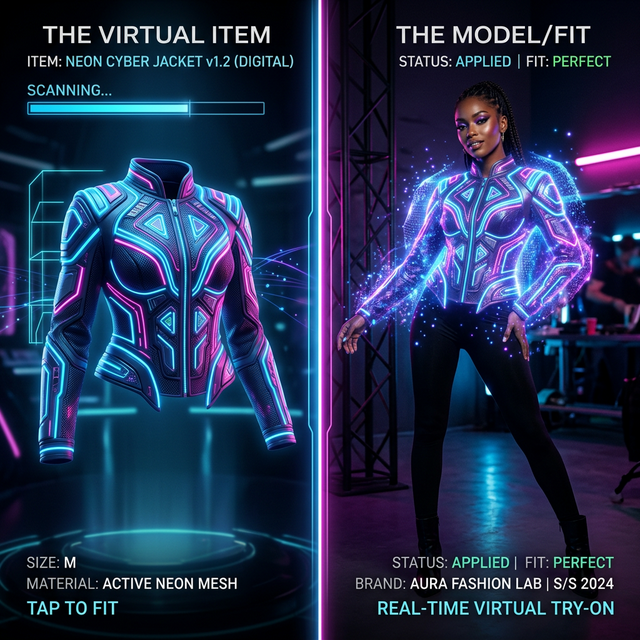
Getting Perfect Virtual Try-On Results
Virtual Try-On is one of our most powerful tools — it lets you place any garment on any model with photorealistic accuracy. But the quality of results depends heavily on your input images. Here's how to get it right.
1. Use Clean Flat-Lay Photos
For clothing inputs, flat-lay photos (clothing laid flat on a white surface) produce the best results. Ensure the garment is wrinkle-free and well-lit.
2. Choose High-Resolution Model Images
The model reference image should be at least 1024×1024 pixels. Higher resolution = better detail preservation in the output.
3. Match Pose to Garment Type
- Dresses & full outfits: Full-body standing pose
- Tops & jackets: Upper body or three-quarter pose
- Accessories: Close-up or detail shots work best
4. Lighting Consistency
The lighting in your model image and garment image should roughly match. Avoid mixing harsh flash photography with soft natural light.
5. Remove Busy Backgrounds
Use our built-in Remove Background tool first to isolate the model. Then use Change Background to add the perfect setting. This gives you much cleaner virtual try-on results.
6. Use the Right Aspect Ratio
For e-commerce listings, use 3:4 or 4:5 aspect ratios. For social media, 1:1 or 9:16 works best.
7. Batch Processing Saves Time
Have multiple garments or colors? Use the batch generation feature (select 2-4 images) to compare variations side-by-side.
8. Leverage Identity Lock
When using the same model across a collection, use the Face Reference upload to maintain consistent facial identity across all generated images.
9. Fine-Tune with Addons
Our addon slots let you specify shoes, jewelry, bags, and other accessories separately. Each addon costs just 3 extra credits but dramatically improves realism.
10. Save Your Best Sets to Folders
Use the Gallery Folders feature to organize your campaigns. Create folders for each collection, season, or client.