
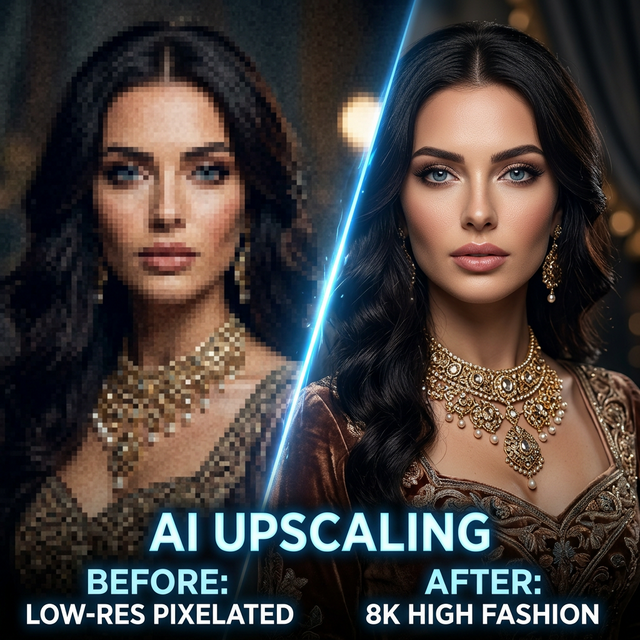
What is Neural Upscaling?
Our 4K upscaler uses neural super-resolution to raise an image's resolution intelligently. Basic upscaling just stretches the pixels and leaves you with blur. Neural upscaling actually paints in new detail: it sharpens textures, cleans up edges, and holds onto facial features.
When 4K Is Worth It (and When It Isn't)
It's genuinely useful for:
- Hero images for website banners and landing pages
- Print work: catalogues, billboards, packaging
- Portfolio pieces that need every bit of detail
- Zoom-in product views on e-commerce sites
Honestly, don't bother for:
- Social media posts (Instagram compresses everything anyway)
- Thumbnails or grid displays, where you're just burning credits and storage
How to Get the Sharpest Results
- Start with the best possible source image. Upscaling enhances what's there but can't fix bad composition or blurry input.
- Use Face Enhancement first if the image contains faces. Upscaling after face enhancement locks in the detail.
- Don't upscale twice. One pass is optimal. Running it again adds artifacts without meaningful improvement.
Resolution Comparison
| Quality | Resolution | Best For | File Size |
|---|---|---|---|
| Standard (1K) | ~1024×1024 | Social media, previews | ~200 KB |
| High (2K) | ~2048×2048 | Web, e-commerce listings | ~800 KB |
| Ultra (4K) | ~4096×4096 | Print, hero images, portfolio | ~3 MB |