
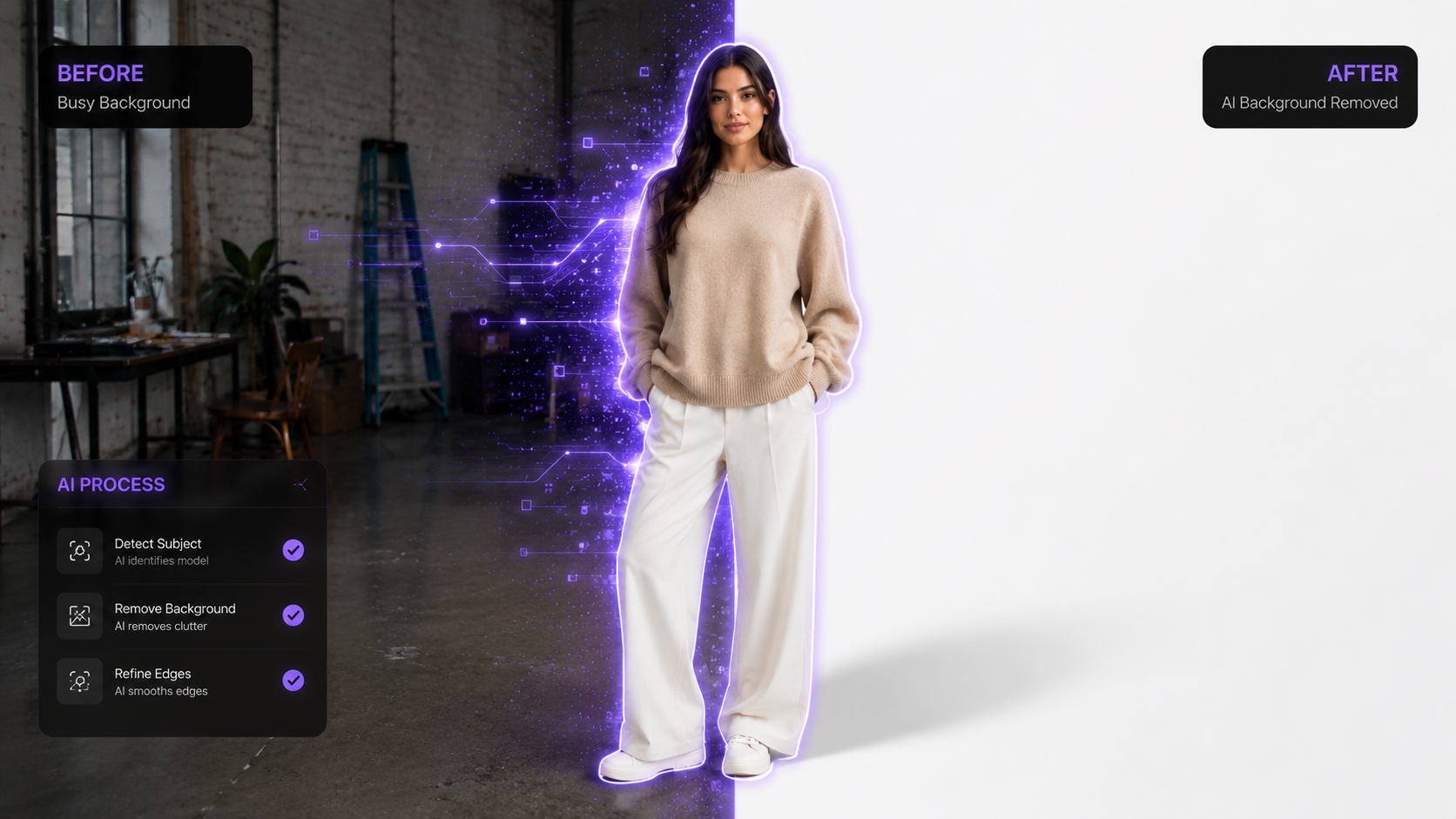
Background removal and replacement is the single most common image editing task in e-commerce. Whether you're listing products on Amazon, creating social media content, or building a fashion lookbook, you need clean, professional backgrounds — and you need them fast.
We'll cover the whole thing here, from one-click background removal to AI scene replacement that turns a plain product shot into something that looks properly commercial.
How AI Background Removal Works
Modern AI background removers use deep learning models trained on millions of images to identify the subject (person, product, or object) and separate it from the background. Unlike old green-screen or manual masking approaches, AI handles:
- Complex edges: hair, fur, transparent objects, fine details
- Multiple subjects: group photos, product collections
- Any background: busy, textured, or low-contrast backgrounds
- Instant processing: results in 1–3 seconds
Step 1: Remove Background (Free)
ComfyUIFlows Studio includes a completely free background removal tool — no credits required.
- Upload your image (PNG, JPEG, or WebP, up to 10 MB)
- Click Remove Background
- Download the result with transparent background
The AI produces clean edges even on challenging subjects like flowing hair, sheer fabrics, and semi-transparent materials.
Step 2: Change Background with AI
Once your subject is isolated, you have two powerful options for adding new backgrounds:
Option A: Change Background Tool
Describe the background you want in a text prompt, and the AI generates it around your subject:
- "Clean white studio background with soft shadows"
- "Modern minimalist living room with natural light"
- "Outdoor garden path with bokeh flowers"
- "Luxury marble surface with gold accents"
The AI matches lighting direction, colour temperature, and perspective to your subject automatically.
Option B: Scene Styling Model
For more dramatic, cinematic results, use the Scene Styling Model. This tool doesn't require a text prompt — it intelligently creates an appropriate environment based on the subject itself. Outputs are in 4K resolution.
Best Practices for Background Removal and Replacement
For E-Commerce Product Listings
- Use pure white (#FFFFFF) backgrounds for Amazon main images
- Ensure the product fills 85% of the frame
- Add subtle drop shadows for depth — the AI handles this automatically
- Output at minimum 2000×2000 px for zoom functionality
For Fashion and Model Photography
- Remove the original background first, then add a lifestyle scene
- Use Scene Styling for editorial-quality environments
- Run Face Enhancement after background replacement to ensure facial detail is sharp
For Social Media Content
- Use vibrant, attention-grabbing backgrounds for Instagram and TikTok
- Create seasonal variations: same product, different seasonal backgrounds
- Use 1:1 aspect ratio for Instagram feed, 9:16 for Stories/Reels
Background Removal: Free vs. Paid Features
| Feature | Free (Remove BG) | Premium (Change BG / Scene Styling) |
|---|---|---|
| Background removal | Yes, unlimited | — |
| Transparent PNG export | Yes | — |
| AI-generated backgrounds | — | 10–30 credits per image |
| Cinematic 4K scenes | — | Scene Styling (credits) |
| Batch processing | One at a time | Multiple images |
| Custom text prompts | — | Yes, full control |
Try It Now — Free Background Removal
Start with our free background remover. No account required for basic removal. Sign up for 60 free credits to access AI background replacement and scene styling.
→ AI Background Remover landing page